Core Web Vitals Optimization
Learn how to optimize your website for core web vitals and improve user experience and search engine rankings
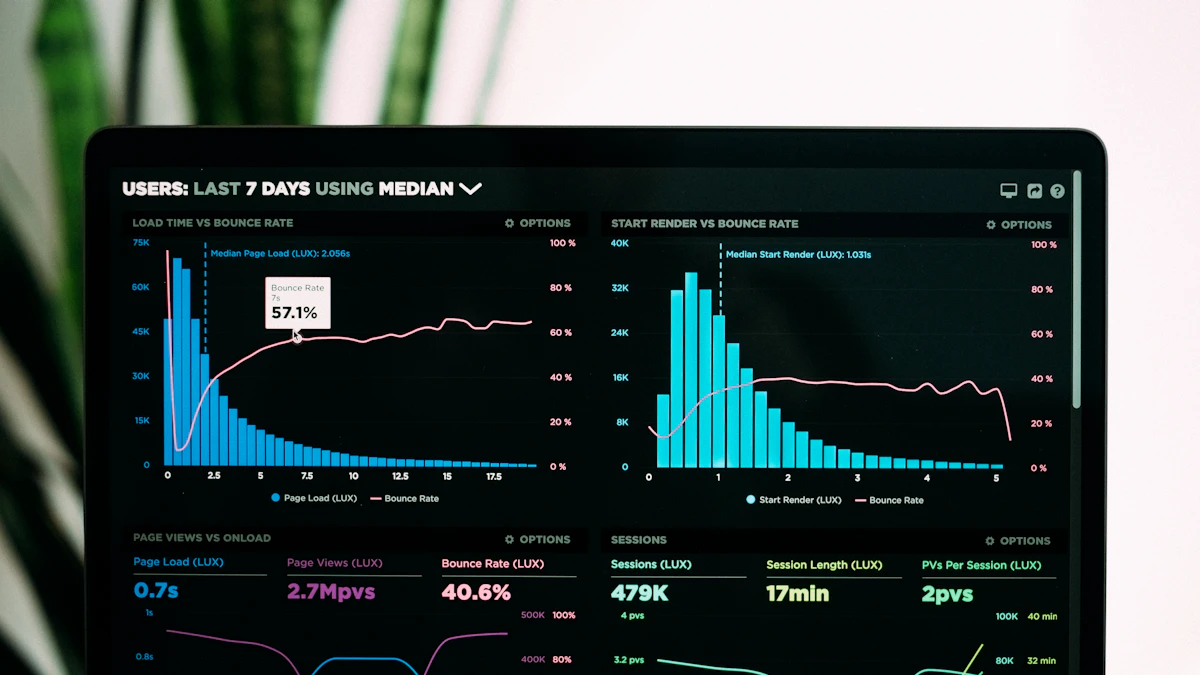
Photo by Luke Chesser on Unsplash
As a web designer and developer based in Woodstock, GA, I've seen firsthand how a slow and clunky website can drive away potential customers. That's why I'm excited to share my knowledge on core web vitals optimization strategies that can enhance user experience and search engine rankings. In this article, we'll dive into the world of core web vitals and explore ways to improve your website's performance and conversion rates.
Introduction to Core Web Vitals
Core web vitals are a set of metrics that measure the performance and user experience of a website. They include factors such as loading speed, interactivity, and visual stability. Google has announced that core web vitals will be a key ranking factor in 2026, making it essential for website owners to optimize their sites for these metrics.
In a recent project for a cabinetry client in Atlanta, I noticed that their website was struggling with slow loading speeds and poor interactivity. By optimizing their website for core web vitals, we were able to improve their search engine rankings and increase their conversion rates.
Optimizing for Loading Speed
Loading speed is a critical core web vital that can make or break the user experience. A slow-loading website can lead to high bounce rates and low conversion rates. To optimize for loading speed, website owners can use techniques such as code splitting, minification, and compression.
For example, I used the following code to optimize the loading speed of a website:
const webpack = require('webpack');

const TerserPlugin = require('terser-webpack-plugin');


module.exports = {

  //...

  optimization: {

    minimize: true,

    minimizer: [new TerserPlugin()],

  },

};
This code uses the TerserPlugin to minify and compress the website's code, resulting in faster loading speeds.
Improving Interactivity
Interactivity is another important core web vital that measures how quickly a website responds to user input. To improve interactivity, website owners can use techniques such as code splitting, lazy loading, and optimizing database queries.
For instance, I used the following code to improve the interactivity of a website:
const React = require('react');

const ReactDOM = require('react-dom');


const App = () => {

  const [data, setData] = React.useState([]);


  React.useEffect(() => {

    fetch('/api/data')

      .then(response => response.json())

      .then(data => setData(data));

  }, []);


  return (
{data.map(item => ( {item.name} ))} );};This code uses the React hooks to fetch data from an API and update the website's state, resulting in faster interactivity.
Enhancing Visual Stability
Visual stability is a core web vital that measures how much the layout of a website shifts during loading. To enhance visual stability, website owners can use techniques such as using a consistent layout, avoiding large layout shifts, and optimizing images.
For example, I used the following code to enhance the visual stability of a website:
const img = document.querySelector('img');

img.addEventListener('load', () => {

  img.classList.add('loaded');

});
This code adds a class to an image element when it finishes loading, resulting in a more stable layout.
Measuring and Monitoring Core Web Vitals
Measuring and monitoring core web vitals is crucial to identifying areas for improvement. Website owners can use tools such as Google PageSpeed Insights, Lighthouse, and WebPageTest to measure their website's core web vitals.
In addition to these tools, I also recommend using web design services to ensure that your website is optimized for core web vitals and provides a great user experience.
Conclusion
In conclusion, core web vitals optimization is a critical aspect of website design and development. By optimizing for loading speed, interactivity, and visual stability, website owners can improve their search engine rankings and conversion rates. If you need help with optimizing your website for core web vitals, don't hesitate to contact me. I'd be happy to help you improve your website's performance and user experience.
Thanks for reading, and I look forward to sharing more web design and development tips with you in the future!

Comments 0
Be the first to comment.