Mastering GA4
Learn how to harness the power of Google Analytics 4 for data-driven SEO and web development decisions. Improve your website
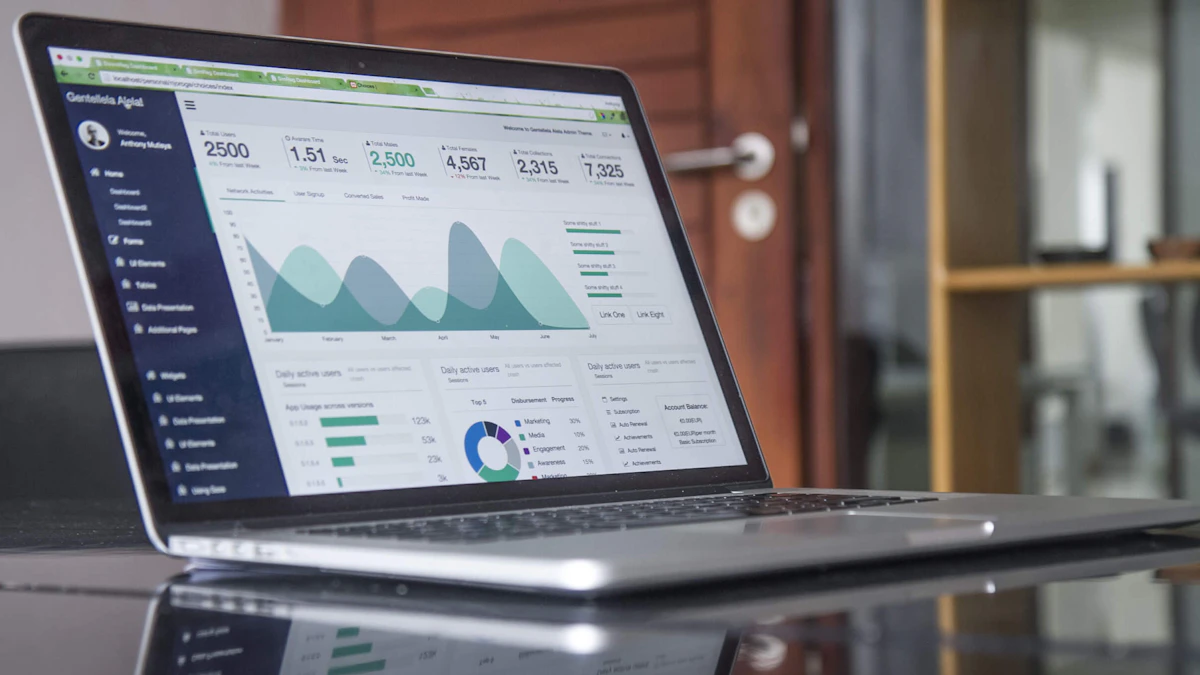
Photo by Carlos Muza on Unsplash
As a web developer and designer based in Woodstock, GA, I've seen firsthand the impact that data-driven decisions can have on a website's success. With the release of Google Analytics 4 (GA4), businesses and organizations now have access to a powerful tool for tracking and analyzing website performance. In this article, I'll explore the key features and benefits of GA4 and provide tips for mastering its use in SEO and web development.
Introduction to Google Analytics 4
GA4 is the latest version of Google's popular analytics platform, designed to provide more accurate and comprehensive insights into website performance. One of the key features of GA4 is its ability to track user behavior across multiple devices and platforms, providing a more complete picture of the user journey. This is especially important in today's mobile-first world, where users may interact with a website on multiple devices before converting.
In a recent project for a cabinetry client in Atlanta, I used GA4 to track user behavior and identify areas for improvement. By analyzing the data, we were able to optimize the website's layout and content, resulting in a significant increase in conversions. For more information on how I can help with your web design needs in Georgia, check out my web design services.
Setting Up GA4 for SEO and Web Development
To get the most out of GA4, it's essential to set it up correctly. This involves creating a new property in the GA4 dashboard, installing the tracking code on your website, and configuring the necessary settings. One of the key settings to configure is the data retention period, which determines how long GA4 will store user data.
Another important setting is the tracking of conversions, which allows you to measure the effectiveness of your website's calls-to-action. For example, if you're a restaurant owner, you may want to track the number of online orders or reservations. I've worked with several restaurants in Georgia to optimize their websites for conversions, including custom restaurant web design and SEO services.
Configuring Data Streams
GA4 allows you to configure multiple data streams, which provide insights into different aspects of your website's performance. For example, you can create a data stream for your website's homepage, which will track user behavior and provide insights into how users interact with the page. You can also create data streams for specific events, such as form submissions or button clicks.
// Example of how to configure a data stream in GA4

gtag('config', 'G-XXXXXXXXXX', {

  'page_title': 'Home Page',

  'page_path': '/home'

});
Using GA4 for Data-Driven SEO Decisions
One of the key benefits of GA4 is its ability to provide insights into user behavior, which can be used to inform SEO decisions. For example, by analyzing the pages with the highest bounce rates, you can identify areas where users are not finding what they're looking for and make adjustments to the content and layout. You can also use GA4 to track the performance of specific keywords and adjust your SEO strategy accordingly.
In addition to tracking user behavior, GA4 also provides insights into technical SEO performance, such as page speed and mobile usability. By identifying areas for improvement, you can optimize your website's technical performance and improve its ranking in search engine results. For more information on how to improve your website's technical SEO, check out my article on optimizing website performance.
Tracking Conversions
GA4 provides a range of tools for tracking conversions, including goals, events, and e-commerce tracking. By setting up conversion tracking, you can measure the effectiveness of your website's calls-to-action and make data-driven decisions about how to improve them. For example, you can track the number of form submissions, phone calls, or online orders, and use this data to optimize your website's layout and content.
- Goals: Allow you to track specific actions on your website, such as form submissions or button clicks.
- Events: Allow you to track specific events, such as video plays or scrolls.
- E-commerce tracking: Allows you to track online sales and revenue.
Using GA4 for Data-Driven Web Development Decisions
In addition to providing insights into SEO performance, GA4 can also be used to inform web development decisions. By analyzing user behavior and identifying areas for improvement, you can make data-driven decisions about how to optimize your website's layout, content, and technical performance. For example, you can use GA4 to track the performance of different page layouts and identify which ones are most effective at converting users.
GA4 also provides insights into user demographics and interests, which can be used to inform web development decisions. For example, if you're building a website for a kitchen cabinet company, you may want to use GA4 to track the demographics and interests of your target audience and design the website accordingly. I've worked with several kitchen cabinet companies in Georgia to design and develop custom websites, including kitchen cabinet web design and SEO services.
Identifying Areas for Improvement
GA4 provides a range of tools for identifying areas for improvement, including the 'Landing Pages' report, which shows which pages are driving the most conversions. You can also use the 'Behavior Flow' report to visualize how users are interacting with your website and identify areas where they're getting stuck.
By using GA4 to track user behavior and identify areas for improvement, you can make data-driven decisions about how to optimize your website's layout, content, and technical performance.
Conclusion
In conclusion, Google Analytics 4 is a powerful tool for tracking and analyzing website performance. By mastering its use, you can make data-driven decisions about how to optimize your website's layout, content, and technical performance, and improve its ranking in search engine results. If you need help with your own website's SEO or web development, don't hesitate to get in touch. I'm always here to help.

Comments 0
Be the first to comment.