Technical SEO Audits
Learn how to conduct a technical SEO audit and improve your website
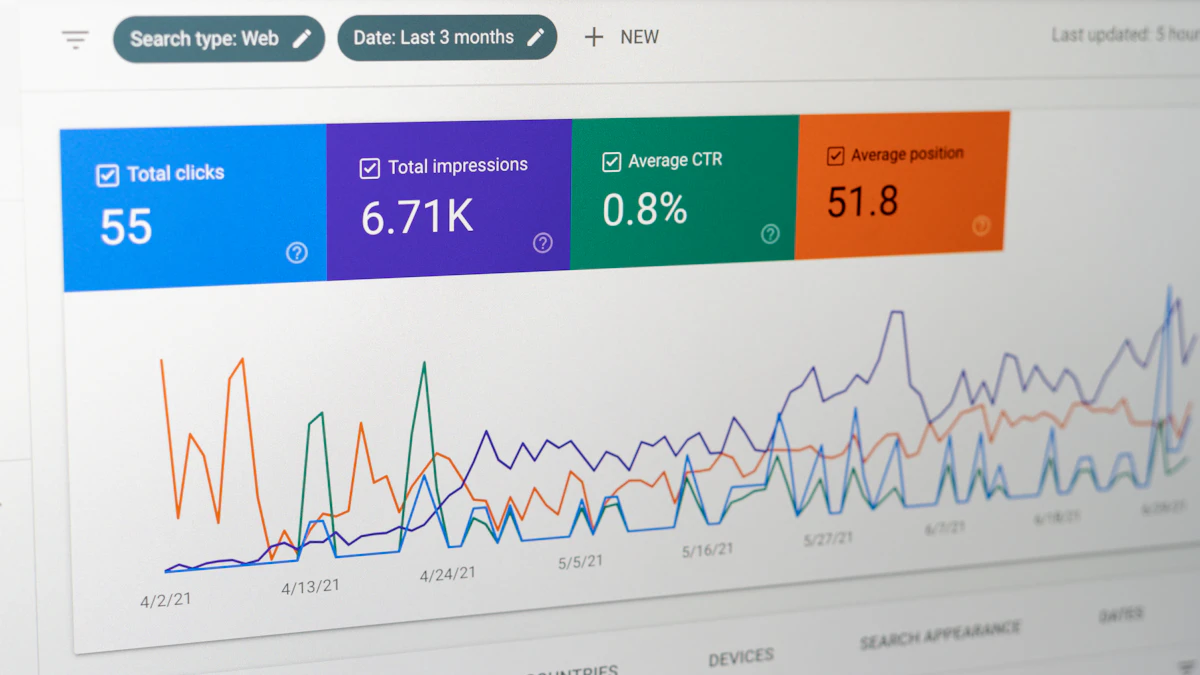
Photo by Justin Morgan on Unsplash
As a web developer, I've seen many websites struggle with search engine rankings due to technical SEO issues. In this article, I'll share my expertise on how to conduct a thorough technical SEO audit, identifying and fixing common problems that can hinder your website's performance. From optimizing website structure to leveraging semantic HTML, I'll provide a comprehensive guide to help you improve your website's search engine rankings and user experience.
Understanding the Importance of Technical SEO Audits
Technical SEO audits are crucial for ensuring your website is crawlable, indexable, and accessible to search engines. A well-structured website with proper technical SEO can significantly improve your search engine rankings, driving more traffic and conversions. In contrast, a website with technical issues can lead to poor user experience, high bounce rates, and decreased search engine rankings.
For instance, I recently worked with a cabinetry client in Atlanta, where a technical SEO audit revealed issues with their website's mobile responsiveness and page speed. By addressing these issues, we were able to improve their website's search engine rankings and increase their online visibility.
Common Technical SEO Issues
- Broken links and redirects
- Slow page speed and poor mobile responsiveness
- Insufficient or duplicate meta tags
- Poor website structure and internal linking
Conducting a Technical SEO Audit
To conduct a technical SEO audit, you'll need to use a combination of tools and techniques. Start by crawling your website using tools like Screaming Frog or Ahrefs, which can help identify broken links, redirects, and other technical issues. You should also analyze your website's page speed and mobile responsiveness using tools like Google PageSpeed Insights or GTmetrix.
In addition to these tools, it's essential to review your website's meta tags, header tags, and internal linking structure. Ensure that your meta tags are unique and descriptive, and that your header tags are properly nested and descriptive. A well-structured internal linking system can also help improve your website's crawlability and user experience.
example of a well-structured meta tag:

   <title>Kitchen Cabinet Web Design | Atlanta, GA</title>

   <meta name="description" content="Custom kitchen cabinet web design services in Atlanta, GA. Get a quote today!">
Optimizing Website Structure and Internal Linking
A well-structured website with proper internal linking can significantly improve your search engine rankings and user experience. Ensure that your website has a clear hierarchy, with descriptive and concise page titles, and that your internal linking system is logical and consistent.
For example, if you're a real estate web design client, your website structure might include the following categories: homes for sale, commercial properties, and property management services. Your internal linking system should then connect these categories in a logical and consistent manner, using descriptive anchor text and avoiding keyword stuffing.
As a web designer with experience in real estate web design, I can attest to the importance of a well-structured website and internal linking system.
Best Practices for Internal Linking
- Use descriptive and concise anchor text
- Avoid keyword stuffing and over-optimization
- Use a logical and consistent internal linking system
Leveraging Semantic HTML for Improved Accessibility and SEO
Semantic HTML is essential for improving your website's accessibility and SEO. By using descriptive and concise HTML elements, you can help search engines understand the structure and content of your website, improving your search engine rankings and user experience.
For example, using the <header> and <footer> elements can help define the header and footer sections of your website, while the <nav> element can help define your website's navigation menu.
example of semantic HTML:

   <header>

       <nav>

           <ul>

               <li><a href="#">Home</a></li>

               <li><a href="#">About</a></li>

               <li><a href="#">Contact</a></li>

           </ul>

       </nav>

   </header>
Conclusion and Next Steps
Conducting a technical SEO audit is an essential step in improving your website's search engine rankings and user experience. By identifying and fixing common technical SEO issues, optimizing your website structure and internal linking, and leveraging semantic HTML, you can significantly improve your online visibility and drive more traffic and conversions.
If you need help with your own website's technical SEO, don't hesitate to reach out to me for a quote or consultation. I'm always here to help, and I look forward to sharing more tips and expertise on web development and SEO in the future. Check back soon for more articles, and let's work together to improve your website's performance and online presence.


Comments 0
Be the first to comment.