SEO Strategies
Improve website indexation and crawling using XML sitemaps and robots.txt files. Learn how to optimize your site
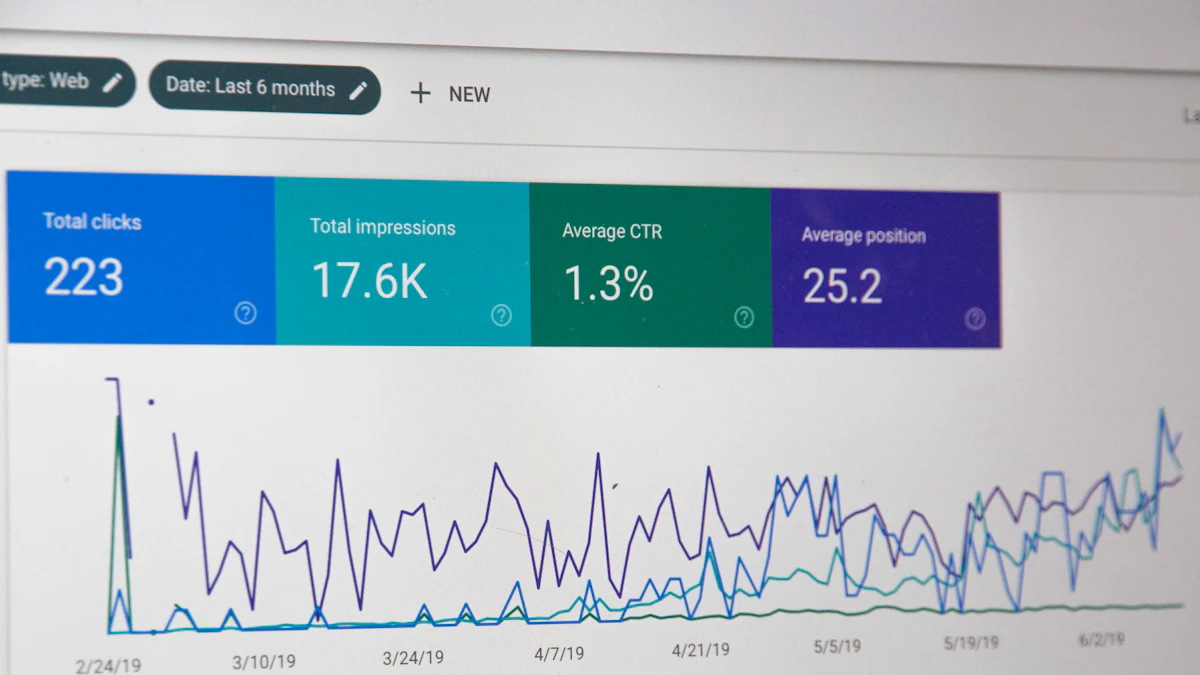
Photo by Stephen Phillips - Hostreviews.co.uk on Unsplash
As a web developer, I've seen firsthand how a well-structured website can improve search engine rankings and drive more traffic to your site. In this article, we'll explore the importance of technical SEO strategies, specifically focusing on XML sitemaps and robots.txt files, to improve website indexation and crawling.
Understanding XML Sitemaps
An XML sitemap is a file that lists all the URLs on your website, making it easier for search engines to discover and crawl your content. It's especially useful for large websites with many pages, or for sites with complex structures that may be difficult for search engines to navigate.
In a recent project for a kitchen cabinet client in Atlanta, I created an XML sitemap to help search engines understand the site's structure and content. This resulted in improved search engine rankings and more targeted traffic to the site.
Creating an XML Sitemap
Creating an XML sitemap is a straightforward process. You can use online tools or plugins to generate the file, or create it manually if you have a small website. The most important thing is to ensure that the file is in the correct format and includes all the necessary URLs.
<?xml version="1.0" encoding="UTF-8"?>

<urlset xmlns="http://www.sitemaps.org/schemas/sitemap/0.9">

  <url>

    <loc>https://example.com/</loc>

    <changefreq>daily</changefreq>

    <priority>0.8</priority>

  </url>

</urlset>
Understanding Robots.txt Files
A robots.txt file is a text file that tells search engines which parts of your website to crawl and which to ignore. It's an important tool for controlling how search engines interact with your site, and can help prevent duplicate content issues or protect sensitive areas of your site.
For example, if you have a staging site or a development environment, you can use a robots.txt file to prevent search engines from crawling those areas and potentially causing duplicate content issues.
Creating a Robots.txt File
Creating a robots.txt file is simple. You can use a text editor to create the file, and upload it to the root directory of your website. The file should include directives that specify which areas of the site to crawl and which to ignore.
User-agent: *

Disallow: /staging/

Disallow: /dev/
Best Practices for XML Sitemaps and Robots.txt Files
When it comes to XML sitemaps and robots.txt files, there are several best practices to keep in mind. First, make sure that your XML sitemap is up-to-date and includes all the necessary URLs. You should also ensure that your robots.txt file is correctly formatted and includes the necessary directives.
In addition, it's a good idea to test your XML sitemap and robots.txt file using tools like Google Search Console or Ahrefs. These tools can help you identify any issues or errors, and ensure that your site is being crawled and indexed correctly.
Common Mistakes to Avoid
There are several common mistakes to avoid when it comes to XML sitemaps and robots.txt files. One of the most common mistakes is including URLs in the XML sitemap that are blocked by the robots.txt file. This can cause confusion for search engines and potentially lead to crawling issues.
- Including URLs in the XML sitemap that are blocked by the robots.txt file
- Using incorrect directives in the robots.txt file
- Failing to update the XML sitemap regularly
Conclusion and Next Steps
In conclusion, XML sitemaps and robots.txt files are important tools for improving website indexation and crawling. By following best practices and avoiding common mistakes, you can help ensure that your site is being crawled and indexed correctly, and improve your search engine rankings.
If you need help with your own site, don't hesitate to reach out to me for a quote or consultation. I'd be happy to help you optimize your site for better search engine rankings and improved user experience. Check back soon for more articles on web design and development, including topics like web design across Georgia and restaurant web design.


Comments 0
Be the first to comment.